The SweatStack Portal
Beta
The Portal is in beta and is subject to breaking changes. If you plan to use it in production, email info@sweatstack.no before you integrate, so we can tell you about changes in advance and help you migrate.
Sometimes a user's data isn't flowing and the fix is in their SweatStack account: a source to connect, a permission to grant, a stale connection to replace. You could build those screens yourself. The Portal exists so you don't have to.
It's a SweatStack-hosted page that does that one job and nothing else. It carries your branding, and when your users are done, it sends them back to you.
Your users always come back
This is the part worth reading twice, because it's the thing you're trusting us with.
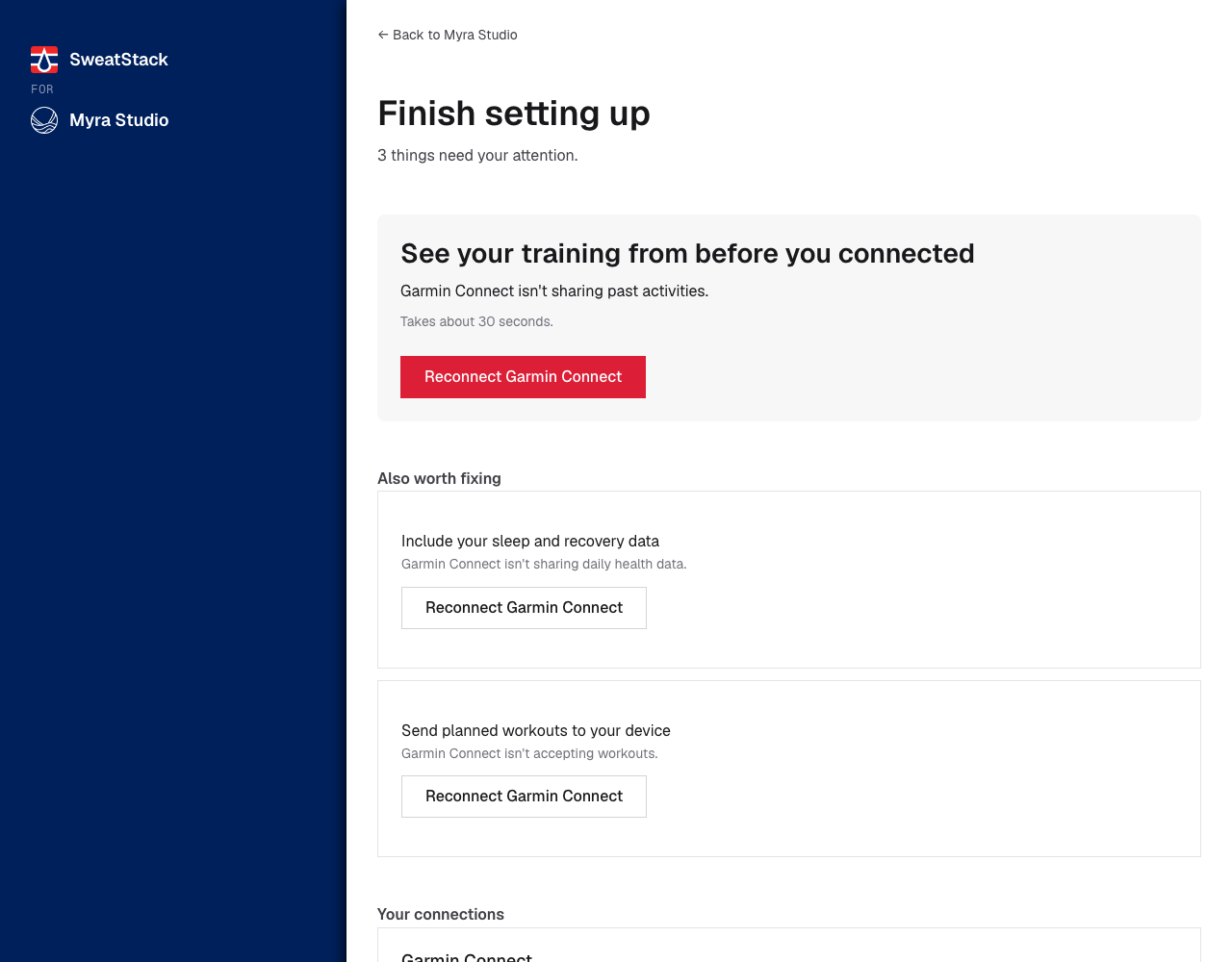
Every Portal page carries a link back to your app. When there's nothing left to do, that link is the page's primary button, so the user is never left to find their own way out.
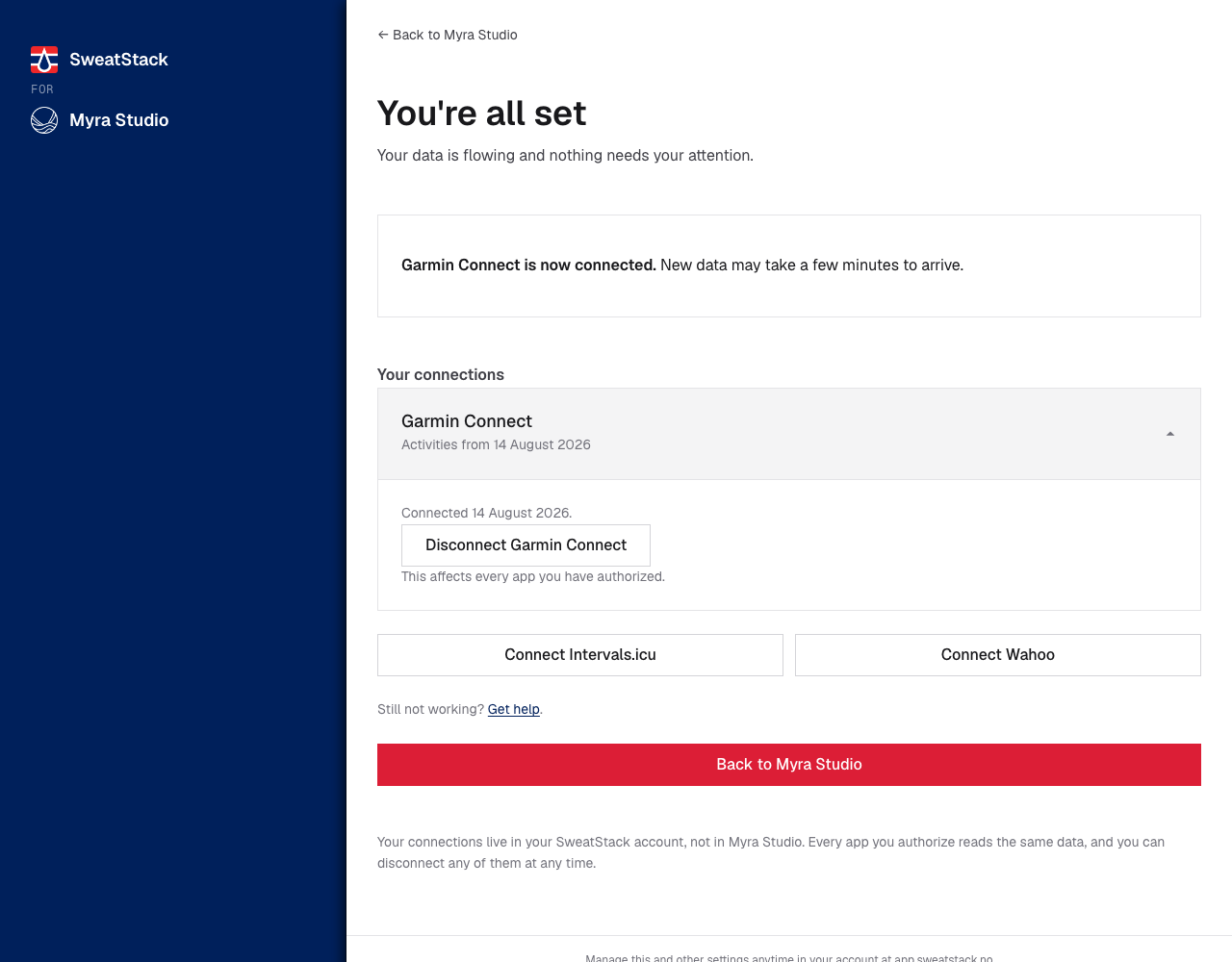
You choose where it goes, when you create the link:
| What you do | What your user gets |
|---|---|
Pass return_url |
Back to {your app}, pointing exactly there |
Omit return_url |
"You can close this page and return to {your app}" |
There is no default. SweatStack never guesses where your app lives, because your app's public URL is often a website, not the page the user came from.
return_url follows the same rule as an OAuth redirect_uri: it must equal or sit under one of
your registered redirect URIs. If your redirect URIs are only OAuth
callbacks, such as https://example.com/auth/callback, register a URI that covers the pages you
want users back on, such as https://example.com/.
If your app is native, omit return_url. A custom-scheme return URL must equal a registered
redirect URI exactly, and that URI is an OAuth callback, which shows an error when it opens
outside a sign-in. The app is almost always still running behind the browser, so telling the user
to close the page is both true and what works.
And when we can't build a link back, we say so instead of saying nothing. A user who can't be helped at all is offered SweatStack support instead of being left in a loop.
The one case that needs your help
If some of your users run your app as an installed PWA, a link can't bring those users back. On iOS, opening a URL inside an installed app's scope opens a new browser tab instead of reopening the app.
We can't detect this. The Portal runs in the browser, not inside your app, so no amount of user-agent sniffing on our side would tell us. You know, and it's one line:
const standalone = window.matchMedia('(display-mode: standalone)').matches
                || window.navigator.standalone;              // iOS Safari

const { url } = await fetch('https://app.sweatstack.no/api/v1/portal/sessions', {
  method: 'POST',
  headers: { authorization: `Bearer ${accessToken}`, 'content-type': 'application/json' },
  body: JSON.stringify({
    destination: user.issue.destination,
    // Omitted on purpose when standalone. The Portal then tells the user to close the
    // page, which is what actually works when a link can't reopen your app.
    ...(standalone ? {} : { return_url: location.href }),
  }),
}).then(r => r.json());
location.assign(url);
No backend needed: CORS permits the call from the browser. If all your users are in a normal
browser, ignore the standalone check and always pass return_url.
How it works
- Your app notices something is wrong, usually from the
issuefield onuserinfo. When the user can fix it,issue.destinationis set. - You create a Portal link for that destination, when the user clicks your button or shortly before, and send them there.
- They arrive on a SweatStack page with your logo. It leads with the problems that affect your app. Anything else they can fix is below it, marked optional.
- They fix it and press Back to your app.
Step 3 is deliberate. The Portal doesn't show only the one issue your app was told about. It shows every problem with the data your app uses. A user sent to fix one thing can come back having fixed three, and they never bounce in and out resolving them one at a time. What other apps could use is still there, under Also available, and it never makes your user's setup look unfinished.
The fastest way to understand these four steps is to walk them with your own account. The live demo
signs you in, renders issue and capabilities the way this documentation prescribes, creates a
session from the browser, and opens the real Portal, so you can come back through its link and see
what changed.
What your user sees
Nothing connected yet
The most common arrival by a wide margin. About a quarter of accounts have no activities at all, and most of those have connected nothing. For most users this is a connect page, not a manage page.
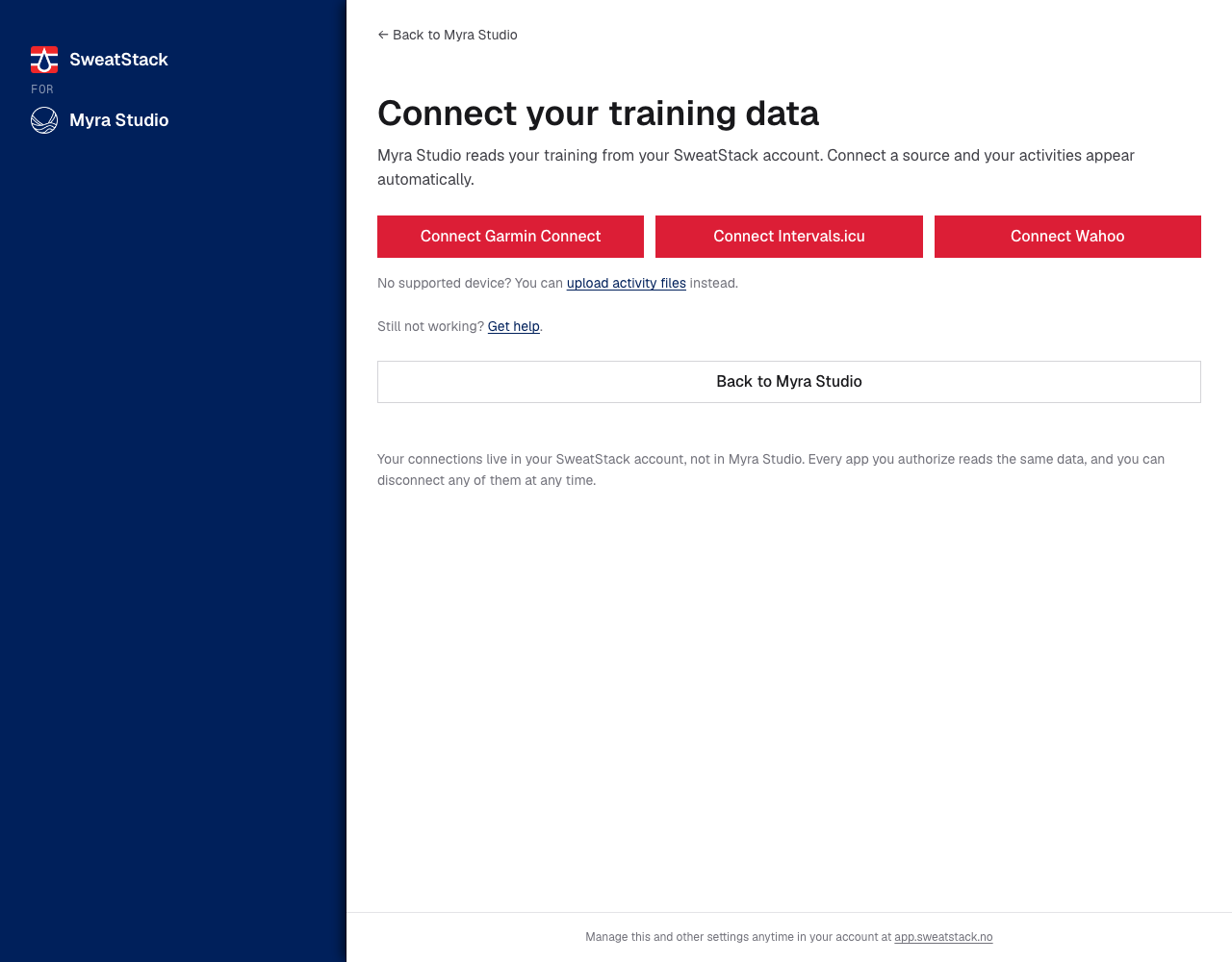
Something needs their attention
Leads with one action. The rest stay reachable below it.
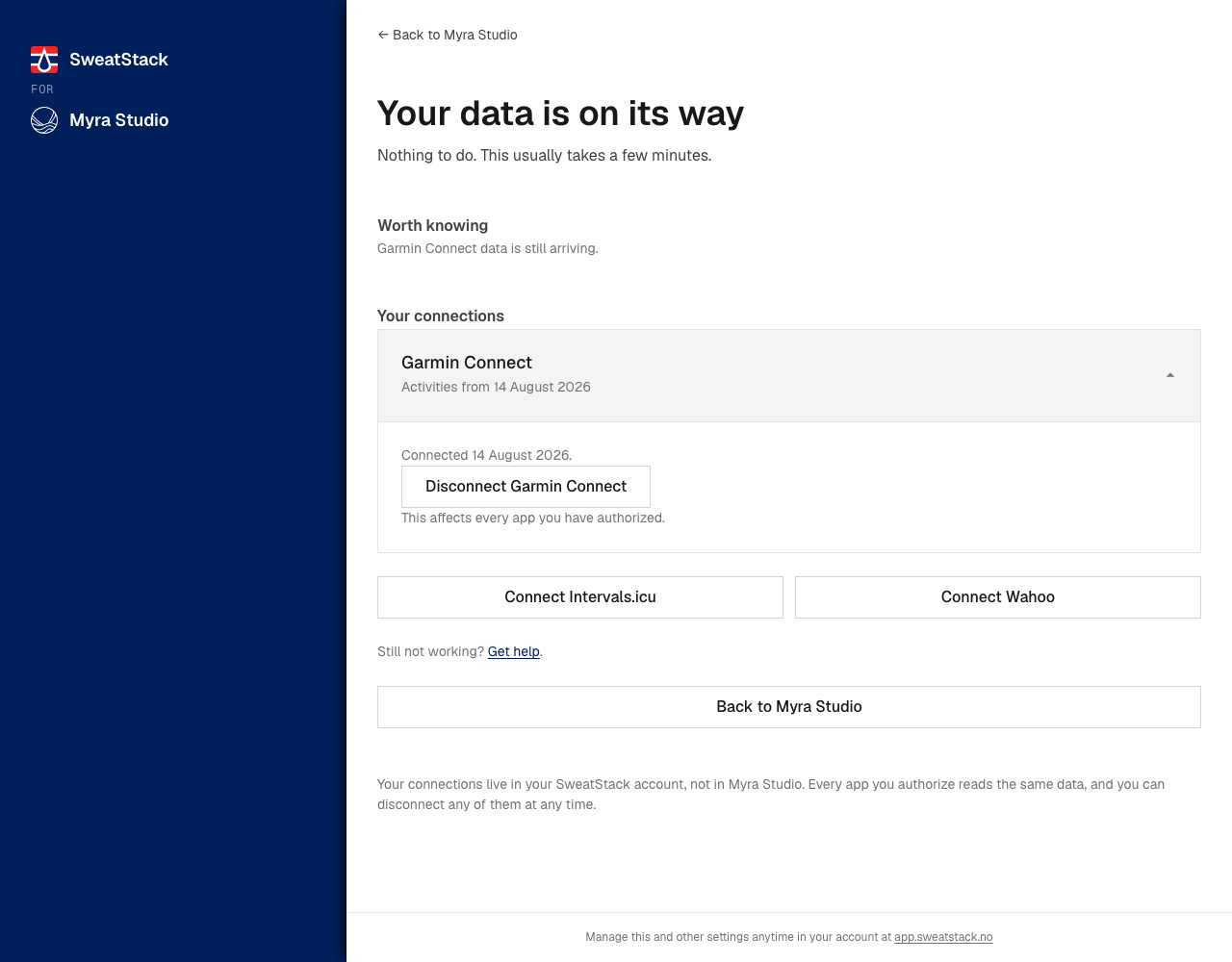
Data is still arriving
No button, because there's nothing to do.
Blocked at the service in front of us
Activities that reach Intervals.icu from Strava can't be passed on. The user fixes this at Intervals.icu, by connecting their watch there directly, and does not need to come back: new activities then arrive on their own. The issue ends when the first activity from Intervals.icu reaches SweatStack. The Portal is where the user learns this; the button on this page opens Intervals.icu.
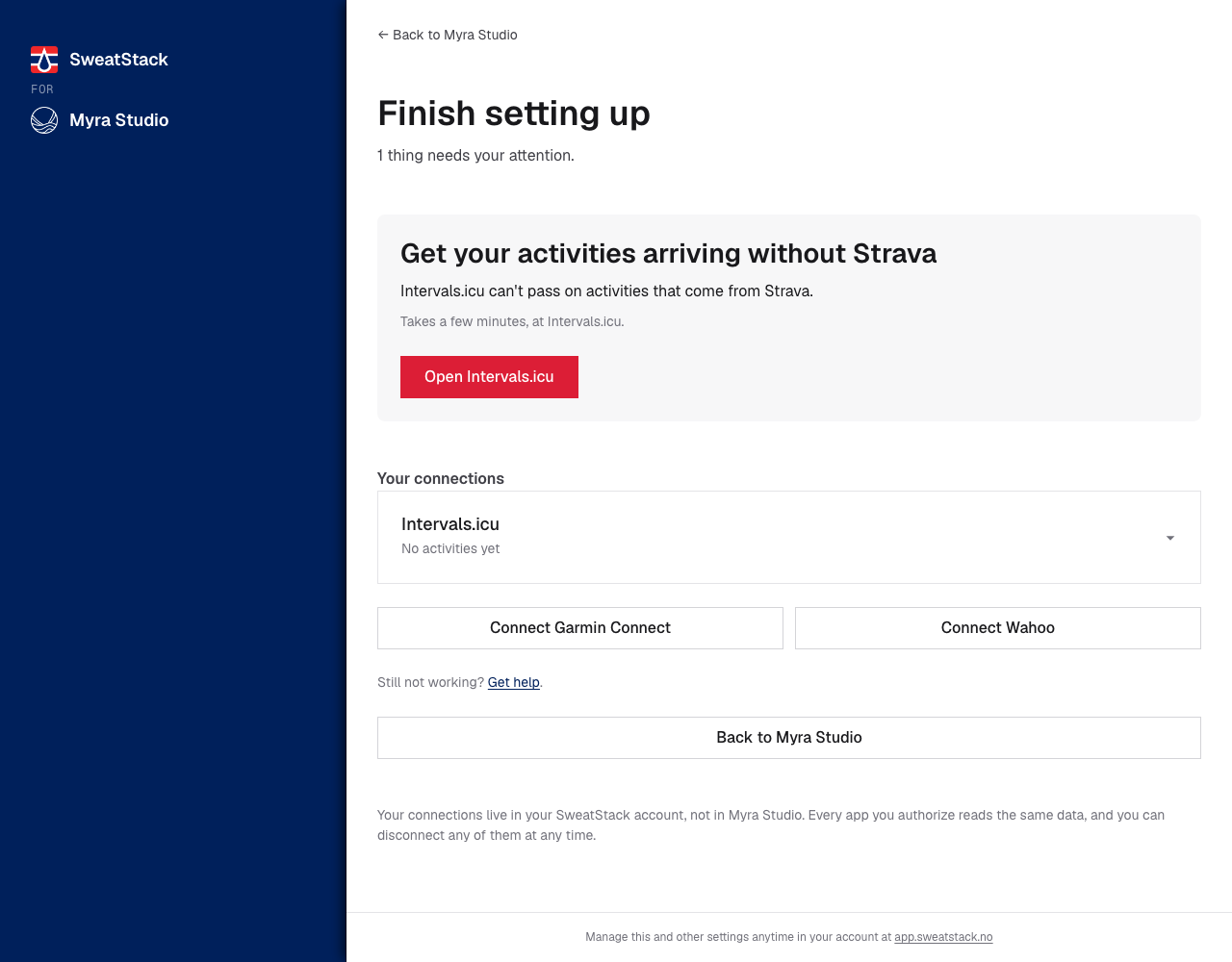
No source for the data your app uses
A sleep app's user with only a bike computer. The Portal leads with connecting a source that records sleep.
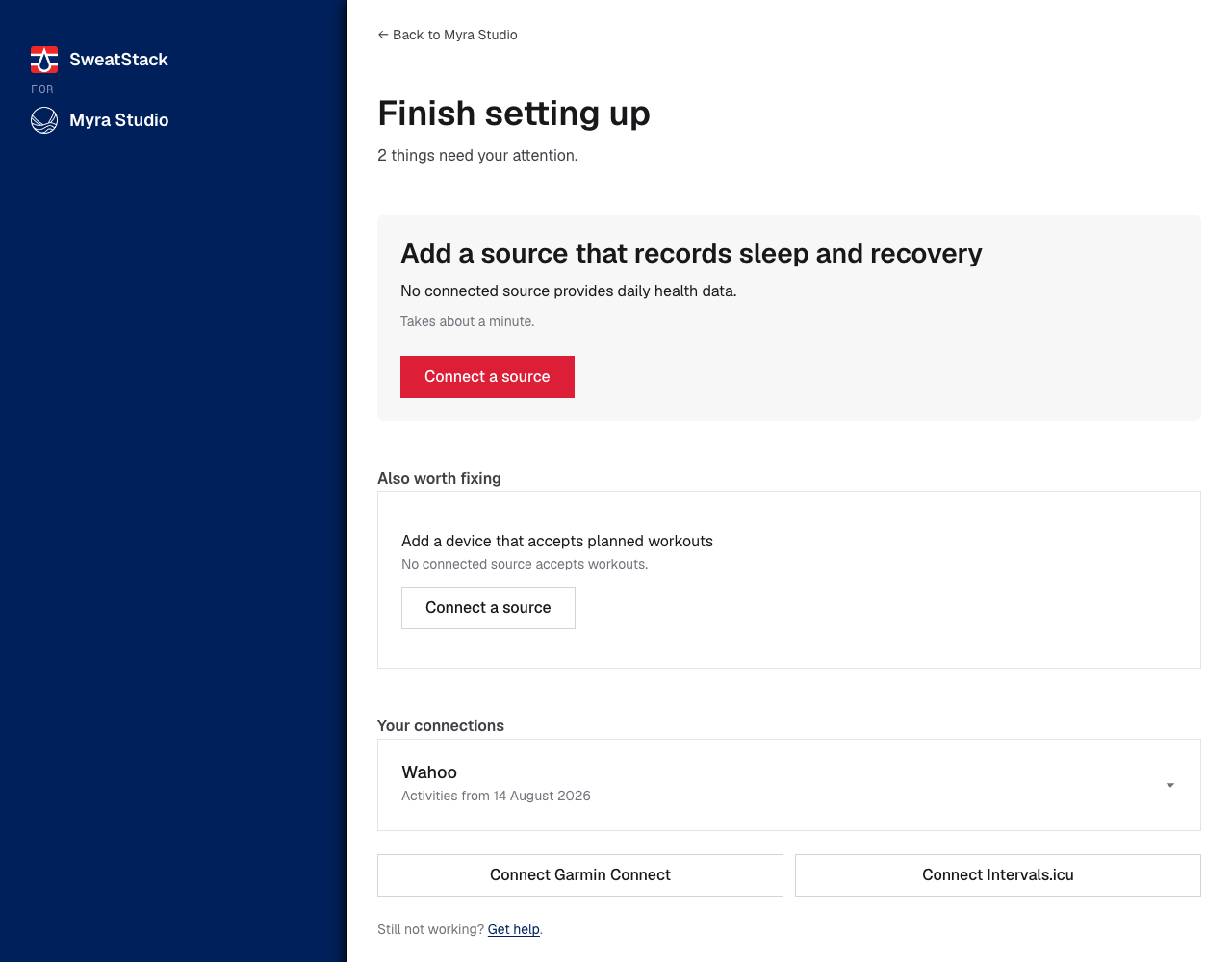
Finished for your app, with more available
Your app uses activities and history, and both work. What the user's Garmin isn't sharing yet is listed as optional, for the other apps they authorize.
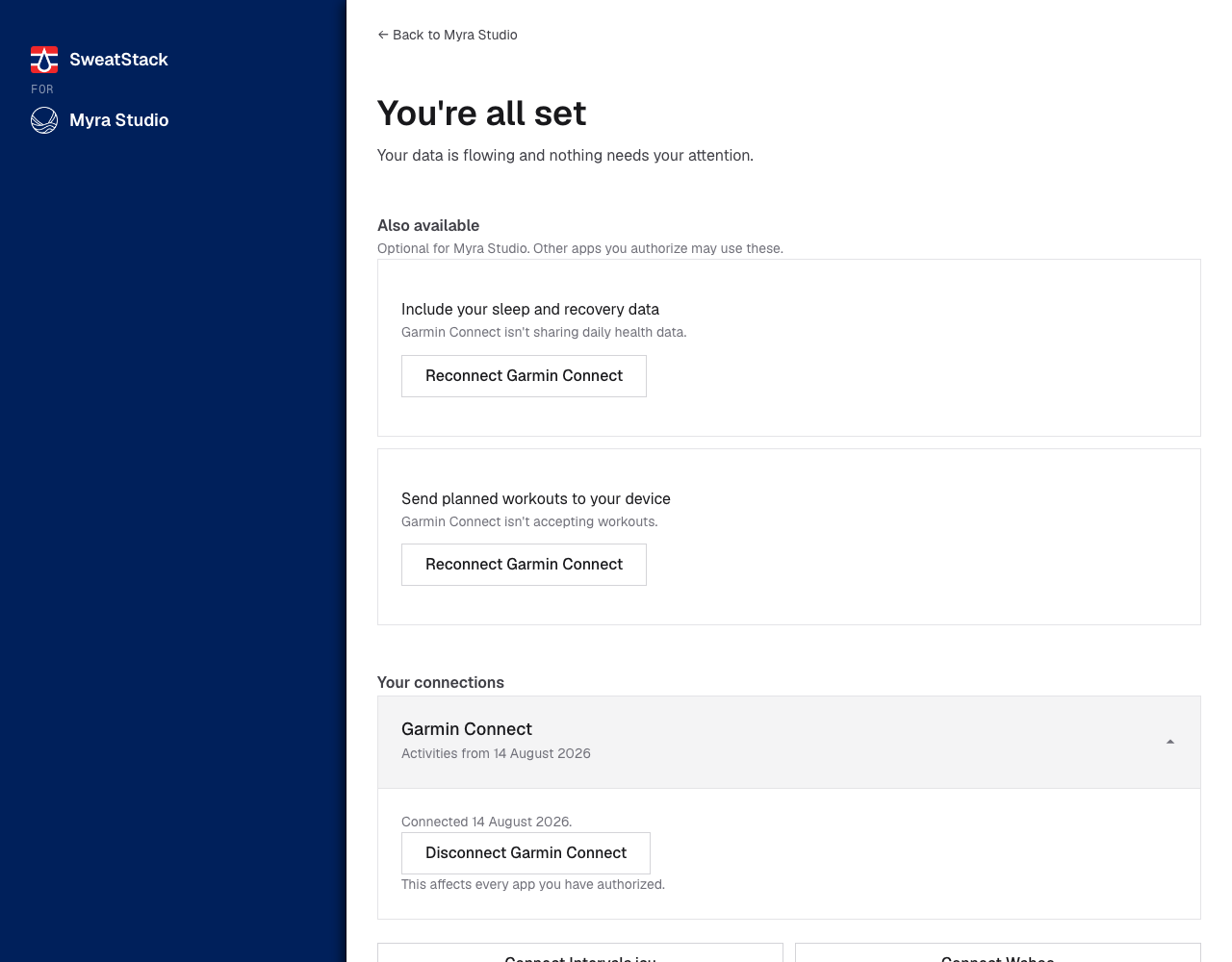
Everything is fine
Including when your link is stale and the user already fixed it. This reads as reassurance, never as an error. If a connected source doesn't provide something, such as sleep data from a bike computer, the Portal says so once, quietly. An app never sends a user here for that.
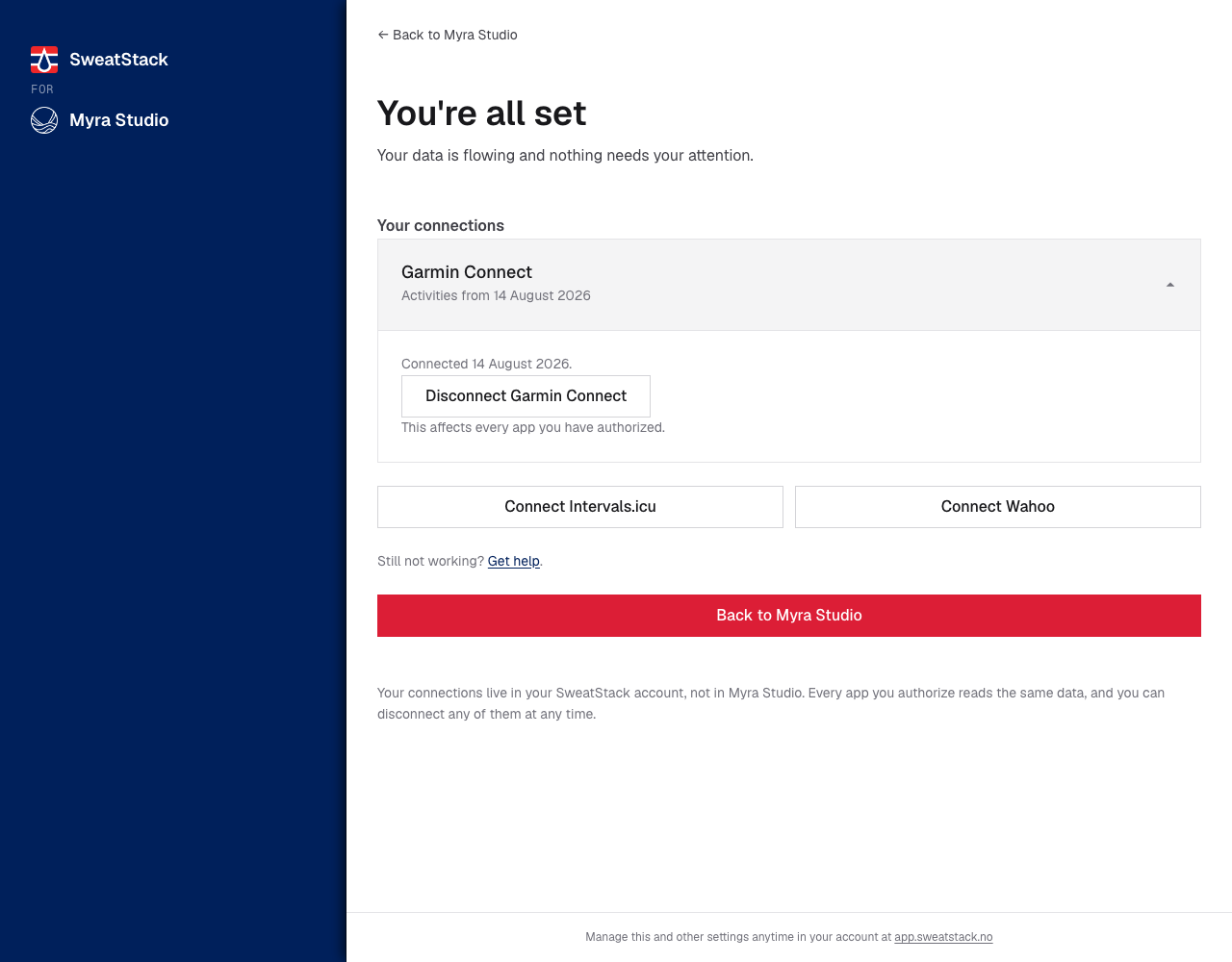
Every case, and where it lands
The code and message are exactly what your app receives from userinfo
or GET /api/v1/profile/status. {source} is the connection's name, for example "Garmin Connect".
Every row is something the user can fix or wait for. You receive a row only for
capabilities your app uses.
code |
status |
The message your app receives | Where the user lands |
|---|---|---|---|
no_source_connected |
action_required |
No data source is connected yet. | Connect |
activities_not_granted |
action_required |
{source} isn't sharing activities. | Needs attention |
activities_blocked_upstream |
action_required |
{source} can't pass on activities that come from Strava. | Blocked upstream |
activity_history_not_granted |
action_required |
{source} isn't sharing past activities. | Needs attention |
wellness_not_granted |
action_required |
{source} isn't sharing daily health data. | Needs attention |
wellness_no_source |
action_required |
No connected source provides daily health data. | No source |
workouts_not_granted |
action_required |
{source} isn't accepting workouts. | Needs attention |
workouts_no_source |
action_required |
No connected source accepts workouts. | No source |
sync_pending |
syncing |
{source} data is still arriving. | Still arriving |
| (none) | issue is null |
All set |
Every message is one short sentence, so it fits a banner without wrapping. A code names what the
user does: <capability>_not_granted means allow it in a connected source,
<capability>_blocked_upstream means fix it at the service in front of SweatStack, and
<capability>_no_source means connect a source that provides it.
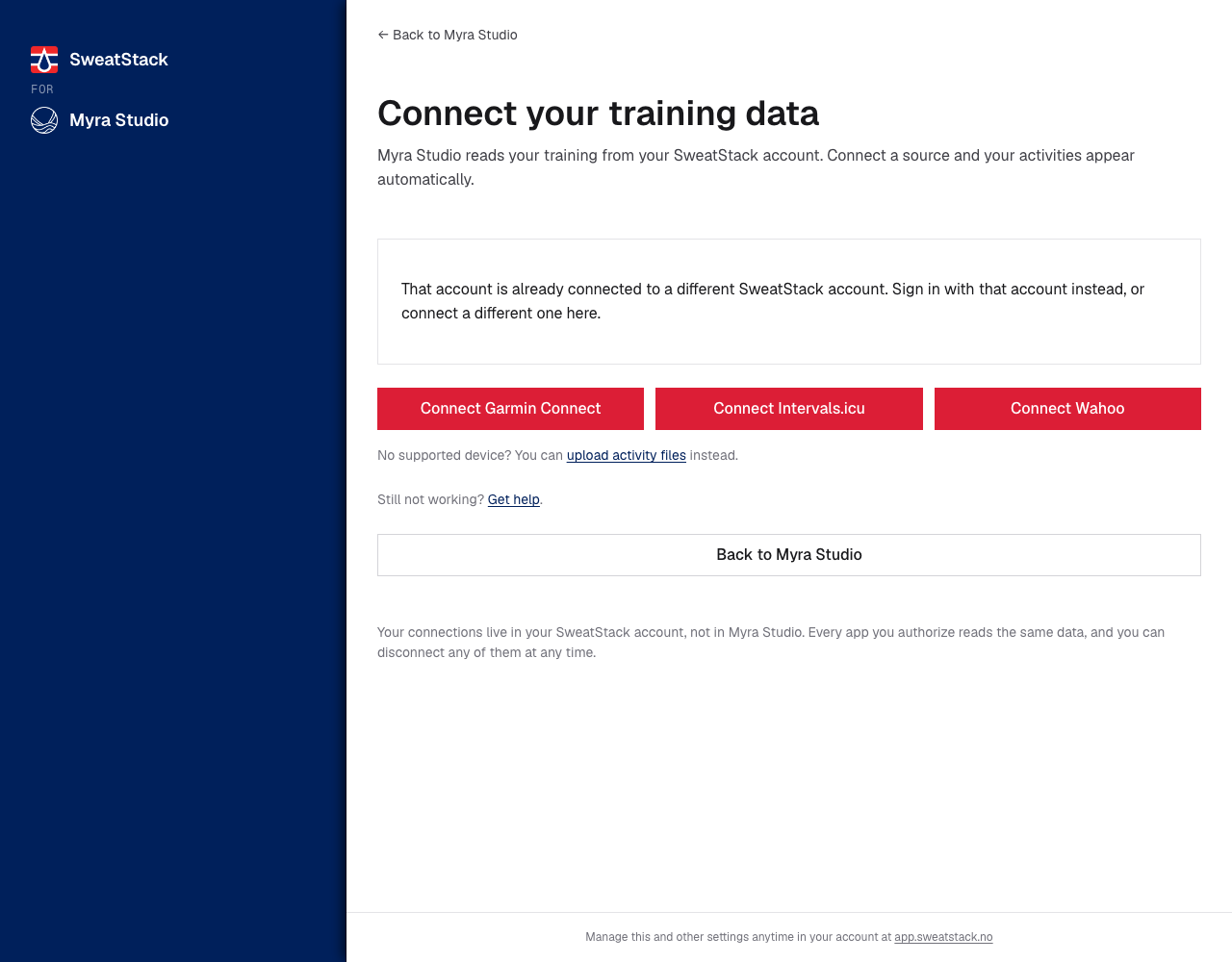
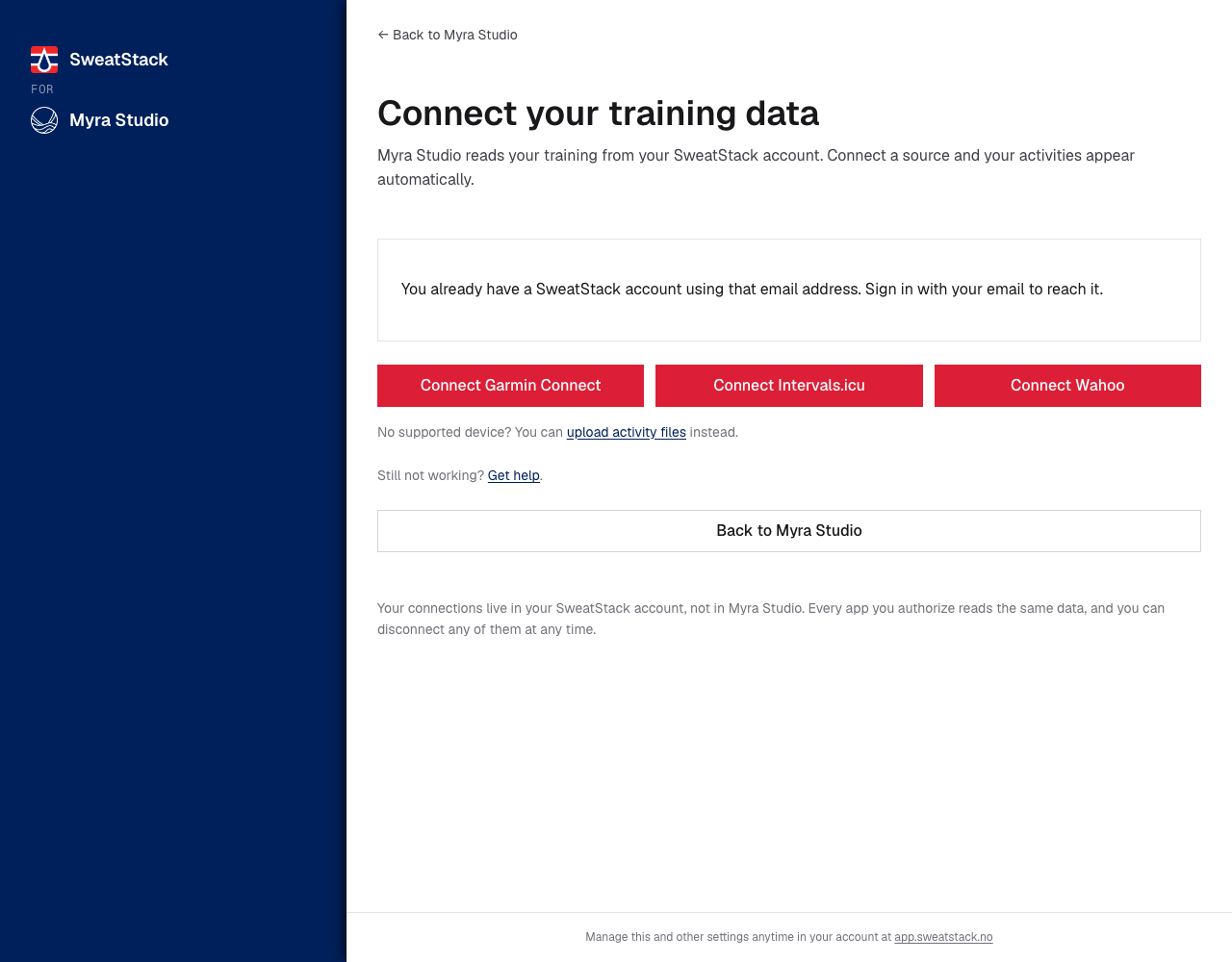
Two more the Portal handles on its own
These describe this visit rather than the account, so they never appear in issue. You may still
see them in a screenshot or a support conversation.
The provider account belongs to a different SweatStack account.
The provider's email address already has a SweatStack account.
Creating a Portal session
POST /api/v1/portal/sessions creates a Portal link, branded for your app, and returns the URL to
send the user to. It is the only way to get a Portal URL.
from sweatstack import Client

client = Client()  # holds the user's access token
session = client.portal.sessions.create(
    "manage-integrations", return_url="https://example.com/app/settings"
)
print(session.url)
curl -X POST https://app.sweatstack.no/api/v1/portal/sessions \
  -H "Authorization: Bearer $ACCESS_TOKEN" \
  -H "Content-Type: application/json" \
  -d '{"destination": "manage-integrations", "return_url": "https://example.com/app/settings"}'
Authenticate with the user's access token, the one your app got from the OAuth flow. The token tells SweatStack which app the link is for, so the body names neither your app nor its secret.
Body fields:
destination(required): the Portal page to open. Passissue.destinationas it is.manage-integrationsopens the user's data connections.manage-teamsopens a coach's teams.profileopens the user's name and email (the name is editable there; an email change goes through support).return_url(optional): where Back to {your app} sends the user, at most 2048 characters. It must equal or sit under one of your registered redirect URIs, the same rule as an OAuthredirect_uri. A query string and a fragment are allowed. If you omit it, the Portal tells the user to close the page; see Your users always come back.
The API returns the URL:
{ "url": "https://app.sweatstack.no/portal/integrations?app=01JMYRA...&return_url=..." }
Portal links expire. We don't promise how long a link stays valid, so don't create one long before the user is expected to click it. Create it when the user clicks your button if your framework lets you, or when the page that shows the button renders. Don't store a link or reuse it for a later visit: create a new one each time.
For a user that belongs to your app,
the link also signs them in: they have no SweatStack account to sign in with, so the link is a
credential. It works once and for a few minutes, so send the user straight to it; a link opened a
second time, or too late, lands on a sign-in page for your app instead. manage-teams is not
available for such a user (400): sharing is off for accounts that belong to an app.
Errors:
400with"return_url must equal or sit under one of the application's registered redirect URIs": register a redirect URI that covers the page, or pass a differentreturn_url.400with"Portal links are created by applications": the token was not issued to an app. Use an access token from your app's OAuth flow, not an API key.401: no access token, or an expired one. Refresh the token and try again.403: a delegated token (a coach viewing an athlete). A Portal link opens the account of whoever is signed in, so only the user can fix their own account. On these tokensissue.destinationis alwaysnull.
Don't build Portal URLs yourself
The URL in the response is not a stable contract. Its shape will change, and we can replace the query parameters with opaque tokens without notice.
Create every link through this endpoint. It always produces a working URL. Anything you assemble by hand will break.